
10.1 Understanding the Trading Terminal

Nirav: Hey I’ve been thinking… It’s time I start investing. Everyones talking about stocks, SIPs, IPOs. Feels like I’m missing out.
Vedant: Finally! Took you enough. So where do you want to open your account?
Nirav: No idea. I just want something low-cost and easy to use. I’m not trying to become Warren Buffett
Vedant: That’s fair. I started with 5paisa. They charge a ₹20 brokerage, no account opening charges and their app is beginner-friendly. You can buy funds US stocks and even insurance.
Nirav: Wait, all that in one app? Sounds great!
Vedant: Exactly! They have SWOT analysis, charts and a feature that shows what top investors are buying. It’s like having an edge in the market.
Nirav: Okay I’m interested. Can you help me set it up?
Vedant: Deal. Lets get you started and place your trade.
Understanding the Trading Terminal
Stock trading is when you buy and sell shares of companies listed on stock exchanges like NSE or BSE. People usually do this through stockbrokers who help them buy and sell shares. These brokers have platforms that let you place orders to buy or sell shares.
- When you place an order the broker sends it to the exchange where its matched with someone who wants to sell or buy the share.
- After the order is done the shares are added to your demat account. The money is moved as per the exchanges rules.
- Brokers charge fees for this service.
You can trade without brokers. This is usually only for big institutions that have special access to the market. For individuals it’s hard to trade without brokers because it needs a lot of money and special equipment.
However there are some things you can do without brokers like applying for IPOs or transferring shares between accounts. For things brokers are necessary because they make it easy and safe to trade.
5Paisa is a broker that charges a fee of ₹20 per order which makes it good for people who are just starting out and for those who trade a lot. They have an app that lets you trade in things like stocks, mutual funds and currencies. They also have tools to help you make decisions and learn about trading.

Once you login to 5 paisa account , You will observe there is a section on the left side corner Which is Nifty 50 and Sensex .

10.2 What is Nifty 50?
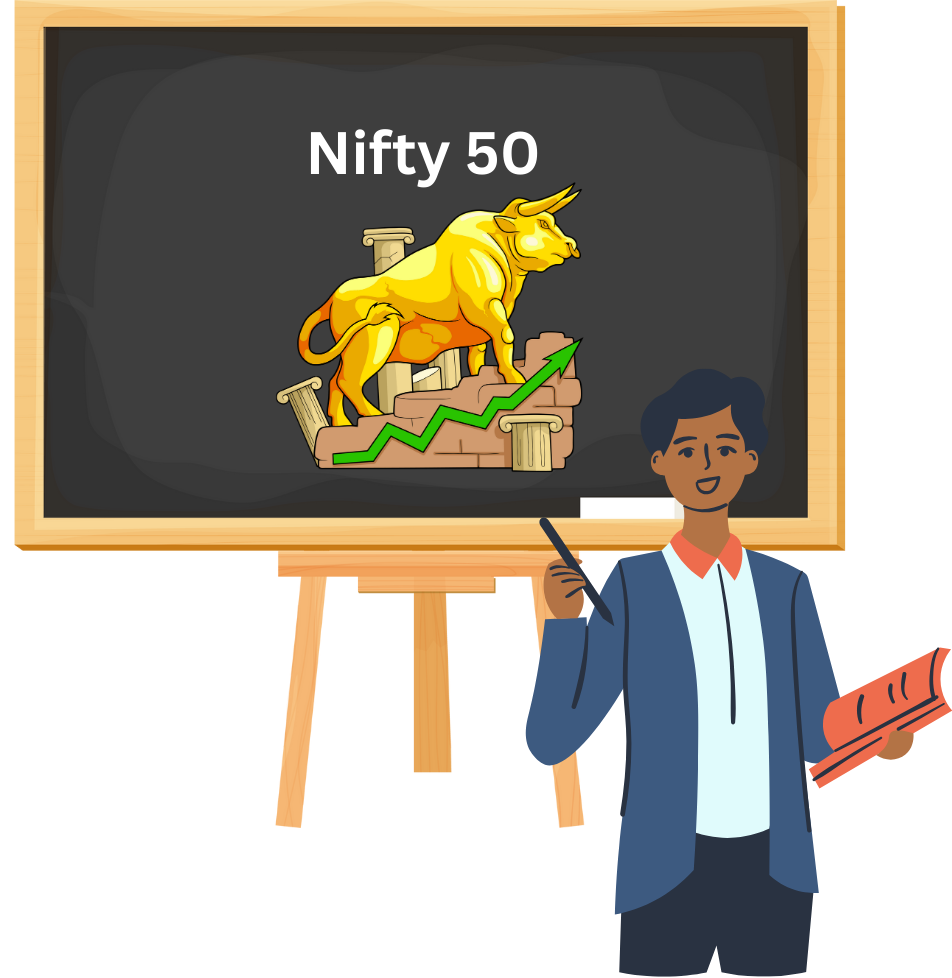
The Nifty 50 is an index that shows how well the top 50 companies on the NSE are doing. These companies are chosen because they are big and have a lot of money which makes the index a good way to see how the whole Indian stock market is doing.
The Nifty 50 includes companies from different sectors like banking and IT.
What is Sensex?
The Sensex is another index that shows how well the top 30 companies on the BSE are doing. It includes companies from different sectors like banking, IT and cars. The Sensex is like a report card, for the stock market it helps people understand how the market is doing.
After that you will observe there are 4 sections in the image
- My Stocks
- Nifty50
- Watchlist1
- Watchlist2
- My Stocks
In this section you can view the list of stocks you have invested in for trading.
- Nifty 50

As explained Nifty 50 section has 50 companies in the list. Here you will also get o graphs and prices of the shares. Suppose if you want to trade in Bharat Petroleum Corporation Limited Company share from the list. When you click on BPCL you will observe charts , Best Bid and Best Ask Price.

What is Market Depth?
Market Depth shows the number of buy and sell orders at different price levels for a stock. Think of it as the “crowd” waiting in line at different ticket counters:
- Buyers are lined up with the price they’re willing to pay.
- Sellers are lined up with the price they want to sell at.
This data is displayed in an order book, and it helps traders understand:
- Liquidity (how easily you can buy/sell without affecting price)
- Support and resistance zones
- Potential price movement What is Bid Price?
The Bid Price is the highest price a buyer is willing to pay for a stock.
Let’s say BPCL is trading at ₹362. The top bid might be: ₹361.90 for 500 shares This means someone is ready to buy BPCL at ₹361.90—but not ₹362 yet. They’re hoping a seller will agree to that price.
What is Ask Price?
The Ask Price (also called Offer Price) is the lowest price a seller is willing to accept. At the same time, the top ask might be: ₹362.10 for 600 shares. This means someone wants to sell BPCL at ₹362.10—but not lower. They’re waiting for a buyer to match that price.
Bid-Ask Spread
The difference between the bid and ask is called the spread. In our BPCL example:
- Bid: ₹361.90
- Ask: ₹362.10
- Spread = ₹0.20
A narrow spread usually means high liquidity and active trading. A wider spread may indicate lower interest or volatility.
Now if you want to view detailed charts of BPCL just observe a small arrow in the image given below. You need to click on that.

When you click on the arrow you will get detailed chart analysis and also you can select the time line as per your choice from the drop down list . Below volume of trading can be observed.


Now if you observe closely there is a small buy and sell button given in the right side corner. When you click on it a mini version where you can place buy or sell order. Now if you observe closely there are 4 important words mentioned
1)Delivery
2)Intraday
3)Limit
4)Market
Lets understand what are they?
Delivery : Buying shares to hold in your Demat account for more than one day. You become a shareholder.For example You buy 50 BPCL shares at ₹400 and hold them for 6 months, expecting long-term growth.
Intraday : Buying and selling shares on the same day. No shares are delivered to your Demat account.You buy 100 BPCL shares at ₹395 in the morning and sell them at ₹402 by afternoon.
Limit Order: An order to buy or sell a stock at a specific price or better. Execution only happens if the price matches. For example BPCL is trading at ₹410. You place a limit buy order at ₹400. It executes only if BPCL drops to ₹400.
Market Order : An order to buy or sell a stock immediately at the current market price.You want BPCL instantly, so you place a market buy order. It gets executed at ₹412.
Now if you click back you will again get a quick view whether you want to buy or sell or place an intraday order.

Now , in this image Suppose the share price of BPCL is Rs 362. and If you want to buy 100 shares then 5 paisa will provide you margin . So for 100 shares you need to keep ideally Rs 36, 200 in your account. But in case if you do not have the money, brokers allows you to trade with borrowed money. You only need to pay a portion of the total trade value, and the broker covers the rest temporarily. This is exactly known as Margin.

Similarly Disclose Quantity is a feature that allows a trader to partially reveal the number of shares they want to buy or sell in the market. Instead of showing the full order size, only a portion is visible to others on the trading screen. Let’s say BPCL is trading at ₹400, and you want to sell 1,000 shares. You place a sell order for 1,000 shares, but set Disclose Quantity = 200. The market will only see 200 shares available for sale, not the full 1,000. Once those 200 are sold, the next 200 will be shown, and so on. This prevents sudden panic or price drops due to a large visible order.

10.3 Stop Loss

A stop loss is a pre-set price at which your position will automatically be sold to limit your loss. For example you buy BPCL at ₹400, expecting it to rise. But to protect yourself, you set a stop loss at ₹390. If BPCL falls to ₹390, your shares are automatically sold, you cap your loss at ₹10 per share.
Trailing Stop Loss
A trailing stop loss moves up automatically as the stock price rises, locking in profits while still protecting against downside. You buy BPCL at ₹400 and set a trailing stop loss of ₹10. If BPCL rises to ₹410, your stop loss moves to ₹400. If BPCL hits ₹420, stop loss trails up to ₹410. If BPCL then drops to ₹410, your shares are sold, you book profit, not a loss.
What is Adding Stop Loss and Target Price
A target price is the price level at which a trader or investor plans to exit a position and book profits. It is Often used alongside stop loss for a complete trade plan.
Now Suppose you want to sell the shares of BPCL on the same day . It will be called Intraday Trading .

Short selling is a trading strategy where you sell borrowed shares of a stock, expecting its price to fall. Later, you buy back those shares at a lower price, return them to the lender, and pocket the difference.
Stop Loss in case of Short Selling
In short selling, a stop loss is a buy-stop order placed above your entry price to protect against rising prices. Since you profit when prices fall, a rising stock is your risk—and the stop loss helps you exit before losses balloon.
If you short sell BPCL at ₹440, expecting it to fall and you set a stop loss at ₹455. Now If BPCL rises to ₹455, his broker buys back the shares automatically, limiting his loss to ₹15 per share.
10.4 How to Add Watchlist

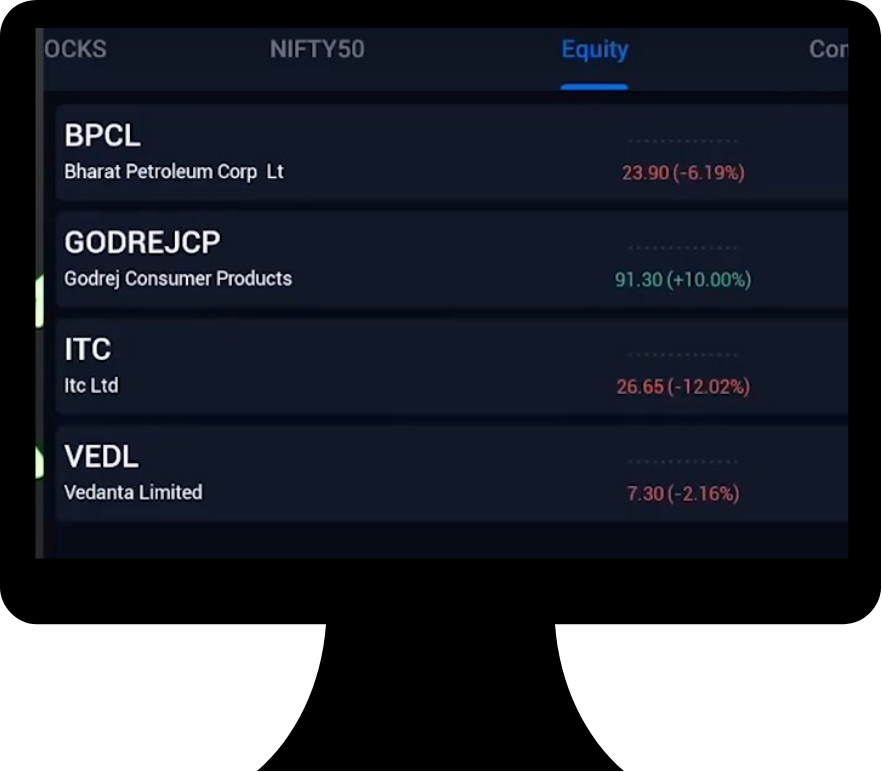
How to add Watchlist
Navigate to the Watchlist Section Tap on the “Watchlist” tab at the top or bottom of the screen. You’ll see options like “MY WATCHLIST,” “NIFTY50,” or “WATCHLIST2.”
Create a New Watchlist (Optional)
If you want a custom list:
- Tap the “+” icon or “Create New Watchlist”
- Name your watchlist (e.g., “Equity” or “Commodities”)
- Save it
Search and Add Stocks
- Use the search bar to find a stock (e.g., BPCL, TCS)
- Tap the stock name to open its details
- Tap “Add to Watchlist”
- Choose the watchlist you want to add it to
View and Monitor
- Go back to your selected watchlist
- You’ll see live prices, percentage changes, and quick access to buy/sell
How to view the Quantity of Stocks You Currently Hold?
- Orders
To view all your buy/sell instructions:
Tap on the “Orders” tab (usually at the bottom or top navigation).
You’ll see:
-
- Executed orders
- Pending orders
- Rejected orders(like in your screenshot)
- You can also filter by All, Cancelled, or Completed.
- Positions
Position: It shows your current holdings or trades in the market, including profit or loss in real time.
To check your current holdings:
Tap on the “Positions” tab.
You’ll see:
- Stocks you currently hold (long positions)
- Stocks you’ve shorted (short positions)
- Real-time profit/loss
- You can square off or convert positions from here.
- VTT (Valid Till Triggered)
VTT (Valid Till Triggered): A smart order that stays inactive until your chosen trigger price is hit, then gets sent to the exchange.
To view or place VTT orders:
- Go to the “Book” sectionin the app.
- Tap on “VTT”.
You’ll see:
- All active VTT orders
- Trigger price and status
To place a new VTT order:
- Search for the stock.
- Tap on it to open the detailed page.
- Select VTT Order Type.
- Enter quantity, trigger price, and optional stop loss/target.
- Confirm and submit.
- Stock SIP
Stock SIP: A feature that lets you invest a fixed amount or quantity in a stock at regular intervals, just like a mutual fund SIP.
To view or set up SIPs in stocks:
Tap on the “Stock SIP” tab.
You’ll see:
- Stocks you’ve set SIPs for
- Investment frequency and amount
You can modify or cancel SIPs from here.

10.5 Add-on Benefits of Using a Trading App

SWOT Analysis
- Offers a Strengths, Weaknesses, Opportunities, and Threats breakdown for listed companies.
- Helps users assess a stock’s fundamentals and strategic position.
- Ideal for long-term investors evaluating business quality.
Swot analysis


OHLC (Open, High, Low, Close) Data
- Available on stock detail pages and charts.
- Useful for technical analysis and intraday decision-making.
- Can be viewed alongside candlestick or line charts.


Live News Feed
- Real-time updates on market movements, company announcements, and macroeconomic events.
- Integrated with stock pages so you can see news relevant to each company.
- Helps traders react quickly to breaking developments.

Superstar Investors Tracker
- Shows which stocks are held by well-known Indian investors like Rakesh Jhunjhunwala or Ashish Kacholia.
- Offers insights into high-conviction bets by market veterans.
- Great for idea generation and trend spotting.

Nirav: Okay, I’ve got my Trading app account set up, added a few stocks to my watchlist, and even placed my first trade. Feels good!
Vedant: Nice! Told you it’s simpler than it looks. But now comes the part most beginners ignore, what happens after you place a trade.
Nirav: You mean like how the money moves and when the shares actually show up in my Demat?
Vedant: Exactly. That’s the clearing and settlement process. It’s like the backstage crew of the stock market—quiet but crucial.
Nirav: Hmm… I always thought it was instant. So there’s more to it?
Vedant: Yup. There’s a whole system that ensures trades are matched, funds are transferred, and shares are delivered. Let’s break it down step by step.